All Input Methods
In this scene all input methods are enabled: mouse, keyboard, UI buttons, touch, and edge-scrolling.
Note
This scene works with either input system. The rig carries both the Legacy Input Components and the New Input System Component, and enables whichever one the project's active input handling can drive. Under Input Manager (Old) the legacy components run; under Input System Package (New) or Both the New Input System Component runs.
If the Input System package isn't installed, its adapter disables itself and the legacy components drive input instead.
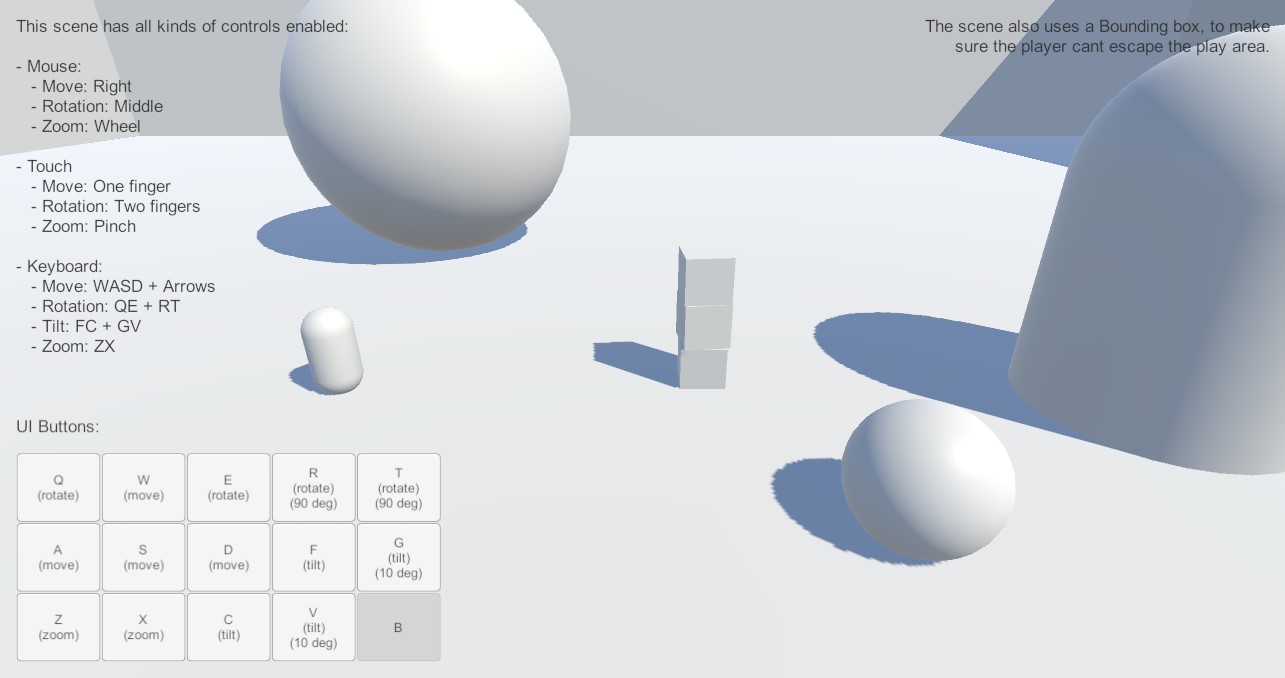
Controls
Movement, rotation, and zoom are all controlled with mouse, touch, keyboard, or UI buttons.
Movement
Move the camera with Right Mouse Button, W A S D, Arrow Keys, One Finger Touch on mobile devices, or the UI buttons on the screen.
Rotation
Rotate the camera with Middle Mouse Button, Q and E on the keyboard, Two Finger Touch on mobile devices, or the UI buttons on the screen. Or R and T for stepped rotation.
Tilt
Tilt the camera with Middle Mouse Button, F and C on the keyboard, Two Finger Touch on mobile devices, or the UI buttons on the screen. Or G and V for stepped tilt.
Zoom
Zoom the camera with Mouse Scroll Wheel, Z and X on the keyboard, Two Finger Pinch on mobile devices, or the UI buttons on the screen.