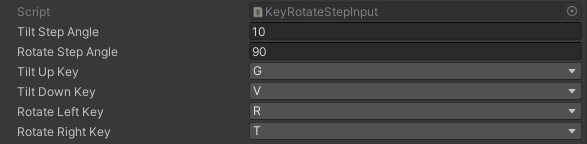
The Input Components
With the modular input component system you can add as many or as few keyboard and UI button inputs as you need.
The Input Components are added just like any other component/script with the Add Component button at the bottom of your inspector.

Note
To stay organized, you could also place this Input Components in child objects. They will still get picked up by the Orbital Cam.
Keyboard
Simply pick the keys you wish to bind, or select None if you wish to unbind.
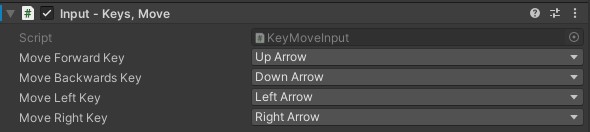
UI Buttons
To be able to attach the buttons, first they need a Button Event Trigger component. Add this to the button first, then drag it into the appropriate slot.
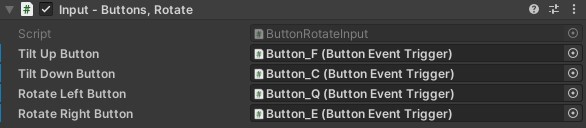
Step Rotation
The Step rotation Input Components are a bit different than the rest. Instead of continuously rotating every frame they will instead send an animated rotate command on key/button up. The camera will then rotate the specified angle (degrees).